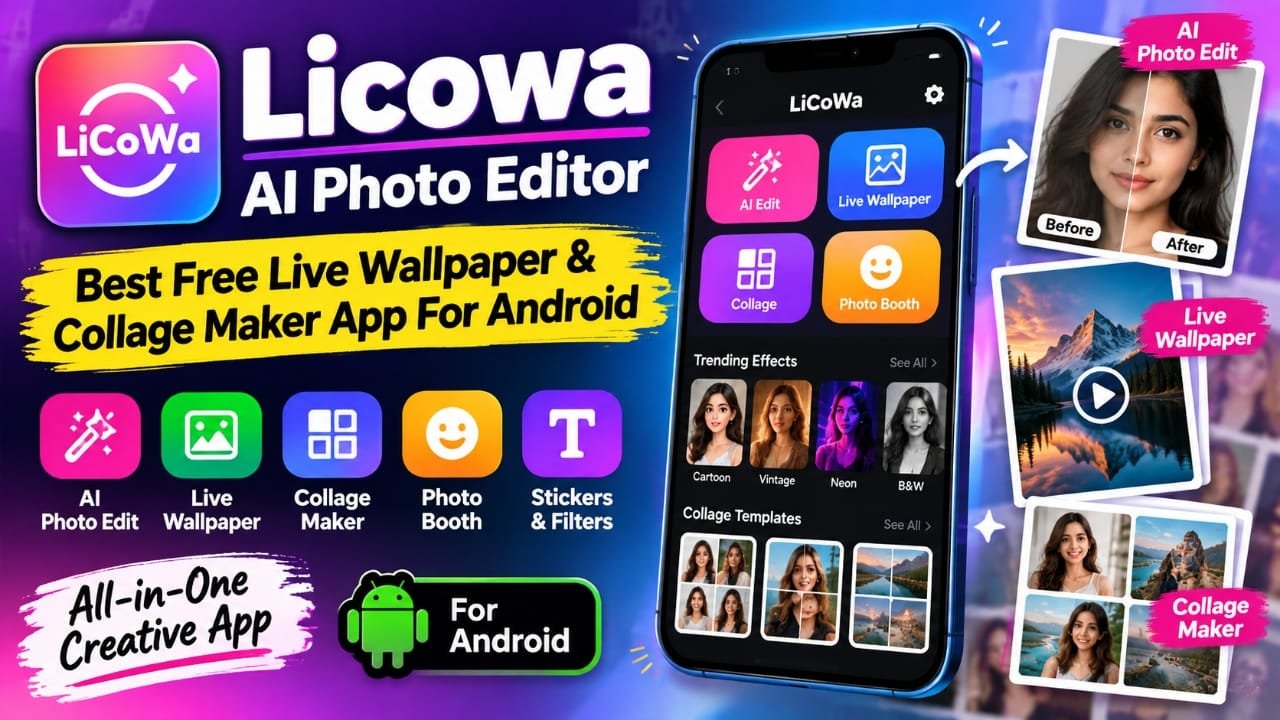
If you want one Android app for editing photos, creating collages, and making custom live wallpapers, Licowa AI Photo Editor brings several of these tools together in a single app. Instead of switching between different apps for basic photo editing and wallpaper customization, you can handle multiple tasks from the same interface.
Licowa also includes creative effects, filters, stickers, grids, and photo booth-style effects. In this guide, we’ll look at its main features, how to use them, advantages and limitations, and what you should check before installing it.
Also read: Gesture Lock Screen: Draw a Custom Password to Unlock Your Android Phone
What Is Licowa AI Photo Editor?
Licowa AI Photo Editor is an Android photo editing and customization app that combines several creative tools. Its feature set includes:
- AI-based photo enhancement
- Photo editing tools
- Live wallpaper creation
- Photo collage maker
- Grid and layout templates
- Stickers and filters
- Photo booth effects
- Custom live wallpaper options
The main idea is convenience. Users can edit pictures, combine multiple photos into a collage, or use their images to create a customized wallpaper without relying on several separate apps.
Licowa AI Photo Editor Features
AI Photo Enhancement
The app provides AI-assisted editing options designed to make basic photo adjustments easier.
For example, if a picture looks slightly dark or its colors need adjustment, an automatic enhancement tool can help make those changes without requiring you to manually adjust every setting.
Depending on the version of the app, available editing tools may include:
- Auto enhancement
- Light adjustment
- Color correction
- Face smoothing
- Background effects
- Blur effects
- One-tap editing
These types of tools can be useful for people who want quick edits rather than detailed professional adjustments.
Create Live Wallpapers From Your Photos
One of Licowa’s more distinctive features is its live wallpaper functionality.
Instead of using only a static image as your phone wallpaper, you can create a moving or animated wallpaper using your own photos and available effects.
Possible customization options include:
- Personal photos
- Animation effects
- Depth-style effects
- Wallpaper customization
Keep in mind that the actual battery impact of a live wallpaper can vary depending on the animation, phone hardware, display settings, and how the app implements the wallpaper. So it is better not to assume that every live wallpaper will have the same battery consumption.
Collage Maker With Grid and Layout Options
If you regularly combine several pictures into one image, the collage maker can be useful.
The source material describes 1,000+ layouts and grid designs, giving users a large selection of ways to arrange multiple photos. Available layouts can vary by app version.
You can use collage tools for things such as:
- Travel photo collections
- Birthday pictures
- Family photos
- Social media posts
- Multiple-photo memories
Customization can include borders, shadows, text, and fonts, depending on the selected template.
Photo Grid and Layout Controls
Rather than manually positioning every picture, a grid template lets you place multiple images into predefined sections. You can then make adjustments to the overall design.
This can save time when you simply want to combine several photos into one shareable image.
Photo Booth Effects and Creative Filters
Licowa also includes a Photo Booth-style section for users who want more playful edits.
The source material mentions effects such as:
- Cartoon-style effects
- Vintage looks
- Neon effects
- Black-and-white styles
- Festival-themed filters
These effects are aimed more at creative and social-media-oriented editing than detailed professional photo correction.
Stickers, Text and Fonts
Simple additions such as stickers and text can make a collage or edited image more personalized.
Depending on the available tools in your version, you may be able to add:
- Stickers
- Text
- Different fonts
- Borders
- Shadows
- Decorative effects
These options are particularly useful when creating images for social posts, greetings, or personal collections.
How to Use Licowa AI Photo Editor
The basic workflow is straightforward.
Step 1: Install the App
Download Licowa AI Photo Editor through a legitimate app source such as the Google Play Store, if the app is available there for your device.
Before installing, check the developer name, recent reviews, permissions, and app information rather than relying only on the app’s name.
Step 2: Open Licowa
Launch the application after installation. You may be asked to provide permissions required for features such as accessing photos or using the camera.
Only grant permissions that are relevant to the features you want to use.
Step 3: Choose a Tool
Select the feature you need, such as:
- Photo Editor
- Collage Maker
- Live Wallpaper
- Photo Booth
- Filters or effects
Step 4: Select Your Photo
Choose an image from your phone’s gallery if the selected feature requires one.
Step 5: Edit the Image
Use the available tools to make your changes. For quick editing, try the automatic enhancement option. For more control, use the manual editing and creative tools available in the app.
Step 6: Save or Apply the Result
Once you’re satisfied with the result, save the edited image or use the wallpaper option if you’re creating a live wallpaper.
The exact buttons and options can change as the app is updated.
Is Licowa AI Photo Editor Free?
The provided information describes Licowa as a free app and says that many of its features can be used without a premium subscription.
However, app pricing and available features can change between versions. Some free apps may also include advertising or optional paid features.
For that reason, check the current Google Play Store listing before publishing a specific claim about subscriptions, ads, or premium features.
Performance: What Should You Expect?
The source material describes Licowa as relatively lightweight and says it can work on mid-range and lower-RAM Android phones.
However, performance depends on several factors, including:
- Phone processor
- Available RAM
- Android version
- Image resolution
- Number of effects being applied
- Live wallpaper complexity
- Other apps running in the background
Photo editing and animated wallpapers can require more resources than basic image viewing. Older devices may therefore experience slower processing or occasional lag.
It is better to judge performance on your particular device rather than assuming the same experience across all Android phones.
Privacy and Permissions
Photo editing apps can require access to images, camera functions, or other device features.
Before using Licowa, review the permissions requested by the current version of the app. Pay attention to whether a permission is actually needed for the feature you want to use.
Also check the app’s current privacy information and Google Play Store Data safety section where available.
One important point: the source material suggests that local photo processing could be beneficial for privacy, but it does not provide enough evidence to confirm that all Licowa processing happens locally. Therefore, this should not be presented as a confirmed privacy feature without checking the current app documentation.
Licowa vs Other Photo Editing Apps
Apps such as PicsArt, Snapseed, and Canva offer different combinations of photo editing and design tools.
Licowa’s main appeal, based on the provided information, is that it combines several functions in one application:
| Feature | Licowa | Traditional Single-Purpose App |
|---|---|---|
| Photo editing | Yes | Usually |
| AI-style enhancement | Yes | Depends on app |
| Collage creation | Yes | Depends on app |
| Live wallpaper creation | Yes | Usually separate |
| Photo booth effects | Yes | Depends on app |
| Filters and stickers | Yes | Common |
| Custom layouts | Yes | Depends on app |
This doesn’t mean Licowa will replace every specialized editing app. Someone who needs advanced graphic design or professional-level photo editing may still prefer a dedicated application.
Who Can Use Licowa?
Licowa can be useful for people who want quick and straightforward creative tools on Android.
It may be suitable for:
- Social media users
- Content creators
- Bloggers
- YouTube creators
- Students
- Casual photo editors
- Users who like customized wallpapers
Its combination of editing, collage, and wallpaper features is particularly useful if you don’t want several separate apps for basic creative tasks.
Pros and Cons of Licowa AI Photo Editor
Pros
- Combines multiple creative tools in one app
- Includes AI-assisted photo enhancement
- Offers collage and grid features
- Supports custom live wallpaper creation
- Includes filters, stickers, and creative effects
- Designed for relatively simple editing workflows
Cons
- Advertising may be present depending on the app version
- Older or less powerful phones may experience slower performance
- Advanced editing requirements may require a more specialized app
- Features and availability can change with future updates
Things to Check Before Installing
Before installing any photo editing or wallpaper app, take a minute to check:
- Developer information – Make sure you are installing the intended application.
- Recent reviews – Look for current feedback rather than relying only on old reviews.
- Permissions – Review what access the app requests.
- Privacy information – Check how photos and other data are handled.
- Latest version – Features can change after updates.
- Battery usage – Live wallpapers can use additional system resources.
These checks are useful because app features, permissions, and policies can change over time.
Frequently Asked Questions
Is Licowa AI Photo Editor available for Android?
The provided material describes Licowa as an Android application. Availability should be checked against the current Google Play Store listing because app availability can change.
Can Licowa create live wallpapers?
Yes. Live wallpaper creation is one of the features described for Licowa. It can be used to customize the phone screen with images and available animation effects.
Can I make photo collages with Licowa?
Yes. The app includes a collage maker with grid and layout options for combining multiple photos.
Does Licowa have AI photo editing?
The app is described as offering AI-assisted editing features such as automatic enhancement and image adjustments. The exact AI tools can vary by version.
Is Licowa completely free?
The supplied information describes it as a free app with many free features. However, ads or paid options may vary by version, so check the current store listing before making a specific claim.
Can Licowa replace professional photo editing software?
For basic edits, collages, filters, and wallpaper customization, it may be enough for some users. People who need advanced professional editing or detailed graphic design may still need a specialized application.
Official Play Store Link
Also read: Battery Charging Animation 4K: Customize Your Android Charging Screen
Final Thoughts
Licowa AI Photo Editor brings photo editing, collage creation, creative effects, and live wallpaper tools into one Android application. Its biggest practical advantage is convenience: users can perform several common image-related tasks without constantly switching between different apps.
If your main requirement is quick photo editing, creating collages, experimenting with effects, or making a personalized live wallpaper, Licowa is worth looking at. Before installing it, however, check the current app listing, permissions, privacy information, and recent user feedback because these details can change with updates.

Abhi Rajput, founder of Earnabhi.com, is a tech lover with 6+ years of experience in SEO, digital tools, and smartphone troubleshooting. He writes simple, clear, and useful guides to help people solve real tech problems.