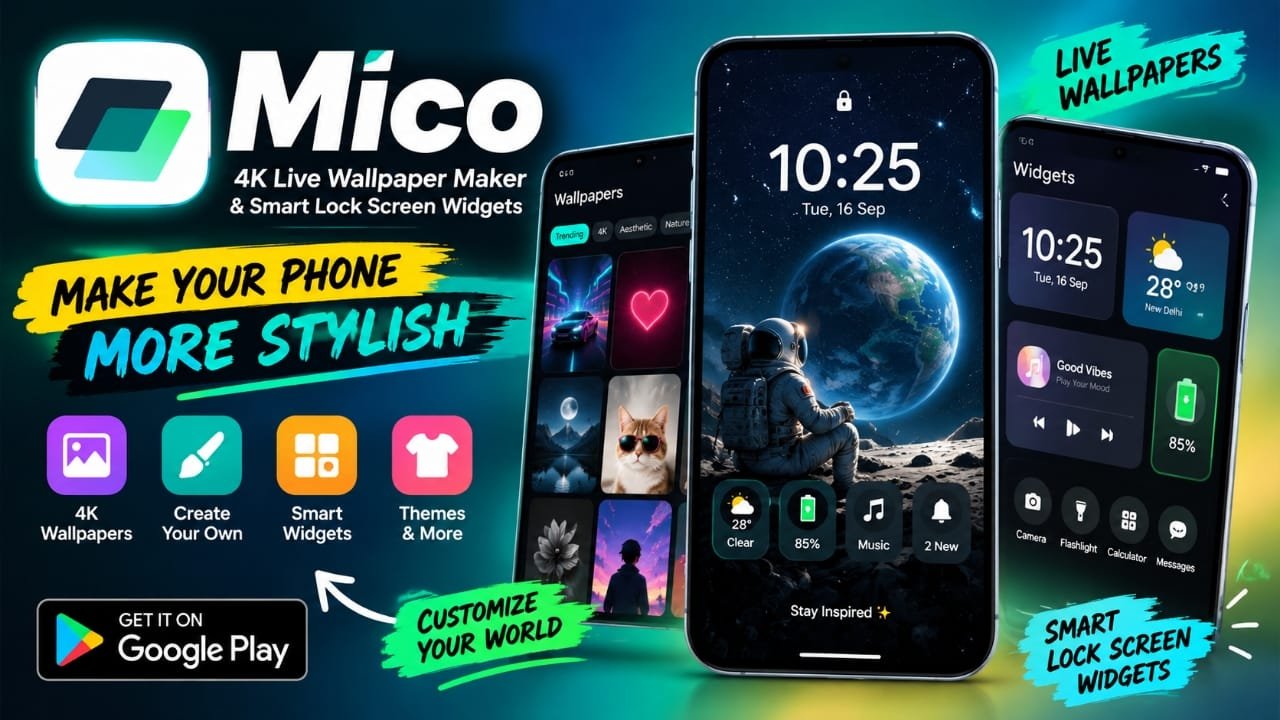
Your smartphone’s wallpaper and lock screen can say a lot about your style. If the default Android wallpaper feels too ordinary, a customization app can give your phone a more personal look.
Mico – 4K Live Wallpaper Maker & Smart Lock Screen Widgets is an Android customization app focused on live wallpapers, lock screen widgets, themes, and other visual elements. It also includes tools for creating wallpapers using your own photos, videos, or color combinations.
In this article, we’ll look at what Mico offers, how its main features work, and who may find the app useful.
Also read: Licowa AI Photo Editor: Free Photo Editing, Live Wallpaper & Collage Maker for Android
What Is Mico – 4K Live Wallpaper Maker?
Mico is an Android customization app designed to bring wallpapers, live effects, themes, and lock screen widgets together in one place.
Instead of simply choosing a static wallpaper, users can explore different customization options and create a more personalized appearance for their phone.
The app includes categories such as:
- 4K live wallpapers
- Charging animations
- Aesthetic wallpapers
- Creative designs
- DIY live wallpapers
- Themes
- Lock screen widgets
- Other customization elements
One of its notable features is the ability to create a live wallpaper instead of relying only on ready-made designs.
Mico 4K Live Wallpaper Maker
The live wallpaper maker is one of the main features of Mico. It is designed for users who want something more personal than a standard wallpaper.
Depending on the available options in the app, you can use your own visual content to create a customized live wallpaper. This can include personal photos, videos, or gradient-style backgrounds.
This makes the feature particularly useful if you want your phone to display something unique rather than using the same wallpaper available to everyone else.
Create Live Wallpapers With Your Own Content
Using your own photos or videos can make the wallpaper feel more personal. For example, a favorite picture can be turned into part of the phone’s animated background.
The DIY approach also gives users more freedom to experiment with different visual styles.
Mico’s live wallpaper section is aimed at providing features such as:
- High-resolution wallpaper designs
- Motion and animation effects
- DIY wallpaper creation
- Different visual styles
- Wallpaper customization for different display types
The exact appearance and available customization options can depend on the version of the app and the Android device being used.
Smart Lock Screen Widgets
Mico isn’t limited to wallpapers. It also focuses on making the lock screen more useful with widgets.
Lock screen widgets can provide quick access to information without requiring you to open the phone completely.
Depending on the available widget options, users can customize elements such as:
- Time and date
- Weather information
- Battery percentage
- Music controls
- Notification shortcuts
The visual appearance of these widgets can also be adjusted, including aspects such as size, color, and font where supported.
This combination of appearance and information can make the lock screen feel more personalized.
Different Wallpaper Styles to Explore
One reason a customization app can be useful is that users don’t always want the same type of wallpaper.
Mico includes different categories and styles, allowing users to change the look of their phone according to their preference.
Some of the categories mentioned for the app include charging animations, aesthetic designs, creative wallpapers, Muslim-themed wallpapers, and DIY live wallpapers.
You can switch between different designs instead of keeping a single background for a long period.
Themes for Android
Along with wallpapers, Mico also provides themes and other visual customization options.
Themes can be useful when you want several elements of the phone’s appearance to follow a similar style rather than choosing each item separately.
For users who enjoy regularly changing the appearance of their home screen and lock screen, having wallpapers and themes within the same customization app can make the process more convenient.
Is Mico Easy to Use?
Mico is designed around a straightforward customization experience. The basic idea is simple: select a wallpaper, customize the available options, and apply it to the appropriate screen.
Users who are new to Android customization may find this approach easier than dealing with complicated manual settings.
The main workflow generally revolves around:
- Choosing a wallpaper or customization option.
- Adjusting the available settings.
- Previewing the result.
- Applying it to the phone.
However, the exact steps and available options can vary depending on the app version and Android device.
What About Battery Usage?
Live wallpapers naturally require more processing than a completely static image because animation has to be displayed.
The supplied information describes Mico as having battery-conscious optimization, but battery consumption can vary considerably depending on the wallpaper, animation, display technology, phone hardware, and Android version.
For this reason, it is better not to assume that every live wallpaper will have the same battery impact.
If battery life is important to you, a static wallpaper or a less demanding live wallpaper may be a more suitable choice.
Who Is Mico For?
Mico may be worth exploring if you enjoy customizing the appearance of your Android phone.
It can be particularly relevant for:
- People who frequently change wallpapers
- Users who like animated backgrounds
- Android users interested in lock screen customization
- People who want to use their own photos or videos
- Users who enjoy themes and visual effects
- Content creators and tech enthusiasts looking for customization ideas
If you prefer a completely simple home screen with a static wallpaper, many of Mico’s customization features may not be necessary.
Mico: Key Features at a Glance
| Feature | What it offers |
|---|---|
| Live Wallpapers | Animated backgrounds and visual effects |
| 4K Wallpapers | High-resolution wallpaper options |
| DIY Wallpaper | Create wallpapers using supported personal content |
| Lock Screen Widgets | Information and controls on the lock screen |
| Themes | Additional visual customization |
| Charging Animations | Charging-related visual effects |
| Aesthetic Designs | Different decorative wallpaper styles |
| Customization | Options for changing the appearance of supported elements |
Things to Keep in Mind Before Using Mico
Before installing any wallpaper or customization app, it is a good idea to check what permissions it requests and review its current Google Play listing.
Also keep in mind that some features may behave differently across Android phones. Manufacturer-specific Android interfaces can affect how wallpapers, lock screens, widgets, and notifications work.
Live wallpapers may also consume more resources than static backgrounds, so users concerned about battery life should choose their settings accordingly.
Frequently Asked Questions
What is Mico app?
Mico is an Android customization app that offers live wallpapers, wallpaper creation tools, themes, charging animations, and lock screen widgets.
Can I create my own live wallpaper in Mico?
The app provides a DIY live wallpaper feature that allows users to create personalized wallpapers using supported photos, videos, or visual elements.
Does Mico have lock screen widgets?
Yes. Mico includes smart lock screen widget features for information and controls such as time, date, weather, battery information, music controls, and notification shortcuts, depending on the available options.
Does Mico offer 4K wallpapers?
Yes. 4K live wallpaper is one of the main features highlighted for the app.
Can I use my own photos?
The supplied information indicates that Mico’s DIY live wallpaper feature can use personal photos as part of a customized live wallpaper.
Will live wallpapers drain the battery?
Live wallpapers can use more resources than static wallpapers, but the actual impact depends on the animation, phone hardware, display, Android version, and other factors. Battery usage should therefore be considered on a device-by-device basis.
Is Mico suitable for beginners?
The app is designed with a simple customization interface, so users who are new to wallpaper customization can start with its basic options without needing technical knowledge.
Official Play Store Link
Also read: Battery Charging Animation 4K: Customize Your Android Charging Screen
Final Thoughts
Mico brings several Android customization features together, including live wallpapers, DIY wallpaper creation, themes, charging animations, and lock screen widgets.
Its main appeal is the flexibility to change more than just the phone’s background. Users can experiment with animated designs, personalize wallpapers with their own content, and add useful information or controls to the lock screen.
If you enjoy regularly changing your Android phone’s appearance, Mico – 4K Live Wallpaper Maker & Smart Lock Screen Widgets is an app worth exploring. Just keep in mind that available features and battery impact can vary depending on the device and app version.

Abhi Rajput, founder of Earnabhi.com, is a tech lover with 6+ years of experience in SEO, digital tools, and smartphone troubleshooting. He writes simple, clear, and useful guides to help people solve real tech problems.