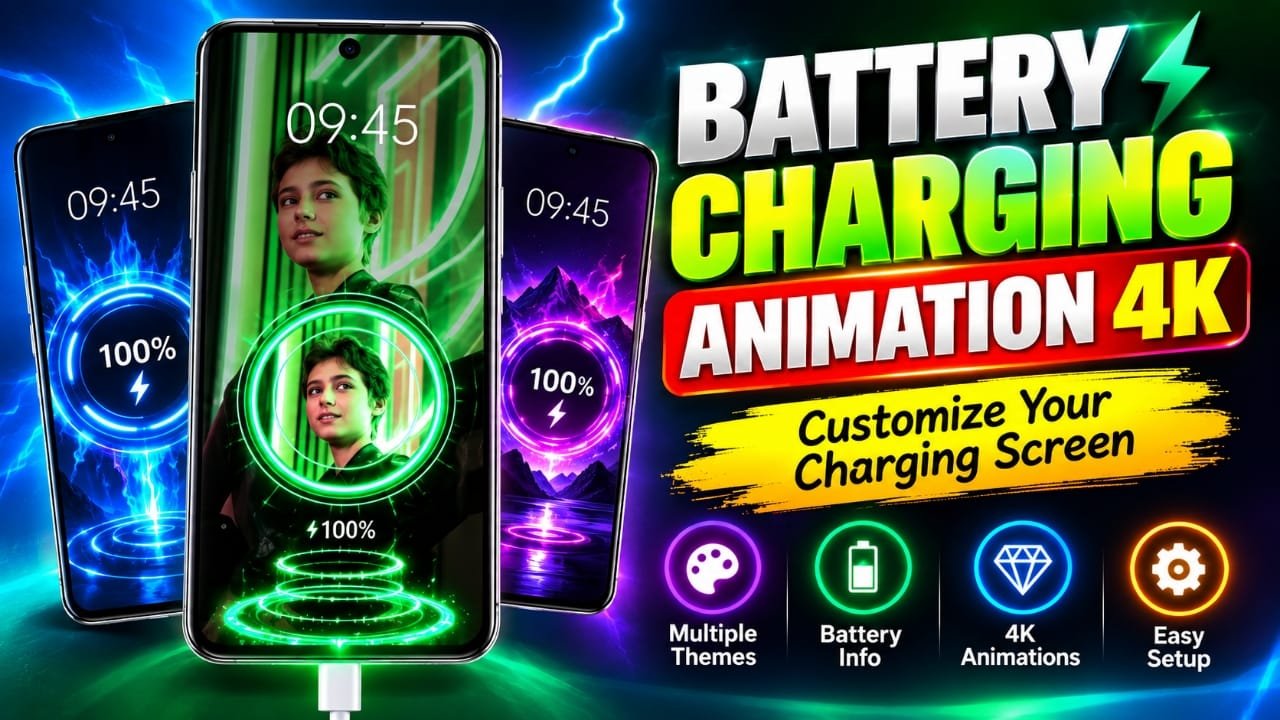
If your Android phone’s charging screen feels too plain, a charging animation app can add a more personalized look. Battery Charging Animation 4K is designed around this idea, letting users display visual effects and animations when the phone is connected to a charger.
Instead of showing only the standard charging information, the app can turn the charging screen into a more noticeable part of your phone’s customization. Depending on the version and device, it may also display battery-related information alongside the animation.
Also read: Computer Launcher for Android: Make Your Phone Look Like a Windows PC
What Is Battery Charging Animation 4K?
Battery Charging Animation 4K is an Android customization app focused on changing the visual experience that appears while a phone is charging.
The main idea is simple: choose an animation or charging theme, enable the relevant feature, and let the selected effect appear when the phone is connected to power.
The available designs may include styles such as:
- Neon and glowing effects
- RGB-style animations
- Electric or lightning effects
- Futuristic designs
- Energy-flow animations
- Gaming-inspired visuals
The exact themes and functions can vary depending on the app version and Android device.
Key Features of Battery Charging Animation 4K
1. Charging Animations
The app focuses primarily on animated charging visuals. Instead of relying entirely on the phone’s default charging display, users can select a different animation style.
The visual quality and smoothness will depend partly on the phone’s hardware and Android version.
2. Multiple Charging Themes
A variety of visual styles can make the app more useful for people who regularly customize their phones.
Some common categories include:
- Neon effects
- RGB lighting
- Lightning effects
- Futuristic animations
- Energy waves
- Gaming-style effects
Having different categories makes it easier to change the look without changing the rest of the phone’s interface.
3. Battery Information
Some versions of charging animation apps also display information while the animation is running. Depending on what the app supports on your device, this can include details such as battery percentage, charging status, temperature or voltage.
However, battery information shown by a third-party app should not automatically be treated as a replacement for your phone’s built-in battery diagnostics.
4. Simple Customization
The basic concept is straightforward. You select an animation, enable the charging display, and then connect the phone to a charger to see the selected effect.
This makes the app more suitable for users who want visual customization without changing their entire Android theme.
How to Use Battery Charging Animation 4K
The exact menu names can differ between versions, but the general setup is usually similar.
- Install the app from a trusted app source.
- Open Battery Charging Animation 4K and go through its initial setup.
- Choose a charging animation that you like.
- Look for an option related to enabling the charging animation and turn it on.
- Grant only the permissions that are actually required for the feature you want to use.
- Connect your phone to the charger and check whether the selected animation appears.
If the animation does not appear, check the app’s settings and Android’s permission or display-over-other-apps settings. Some phones also restrict background activity for apps to save battery.
Types of Charging Effects You Can Try
Neon Effects
Neon-style animations use glowing lines, bright shapes and lighting effects. They can work well for users who prefer colorful customization.
Lightning Effects
Lightning-themed designs use electric-style visual effects to make the charging screen look more dynamic.
Futuristic Animations
These generally use modern shapes, glowing elements and sci-fi-inspired graphics for a more technological appearance.
RGB Effects
RGB-style animations are particularly suitable for users who like gaming-themed phone customization and colorful lighting effects.
Energy Flow Effects
These animations represent charging through moving waves, energy lines or similar visual elements.
Does a Charging Animation App Damage the Battery?
A charging animation itself is primarily a visual feature, so displaying an animation does not directly change how the phone’s battery charges.
However, the app may use some system resources while running. Also, battery temperature and charging behavior depend on factors such as the charger, cable, phone hardware, battery condition and charging system.
For that reason, don’t assume that an app’s battery information is a complete battery-health assessment.
It’s also sensible to:
- Install apps from trustworthy sources.
- Review the permissions requested by the app.
- Disable permissions that aren’t needed for its intended function.
- Keep the app updated when updates come from a trustworthy source.
- Remove the app if it behaves unexpectedly or causes excessive battery or performance usage.
Permissions and Privacy: What Should You Check?
Charging animation apps may need special Android permissions to display an animation over other screens or respond to charging events.
Depending on the implementation, an app may request permissions such as:
- Display over other apps
- Notification access
- Access to battery-related information
Don’t grant every permission automatically. Check what each permission is used for and whether it is necessary for the feature you want.
You should also review the app’s Play Store listing and privacy information before installation so you understand what data the developer says the app collects or shares.
Is Battery Charging Animation 4K Useful for Content Creators?
A charging animation can also be useful as a visual element in smartphone customization content.
For example, creators could demonstrate it in:
- Android customization videos
- Charging-screen showcases
- Smartphone setup videos
- App review videos
- Short-form customization clips
For a creator, the animation itself isn’t the entire content. A useful video could also show the setup process, available customization options and how the feature behaves on an actual device.
Things to Keep in Mind Before Using It
Charging animation apps can be fun, but there are a few limitations to consider.
The experience can vary by phone. Android manufacturers use different software interfaces and power-management systems, so an animation that works on one device may behave differently on another.
The app may require special permissions. Features that appear on top of the normal Android interface often need additional access.
Not every advertised feature may work everywhere. Android version, device restrictions and app updates can affect compatibility.
Visual quality isn’t the same as actual charging performance. A 4K animation changes the appearance of the charging screen; it does not make the phone charge faster.
Frequently Asked Questions
What is Battery Charging Animation 4K?
It is an Android customization app designed to show animated visual effects when a phone is charging.
Can I choose different charging animations?
The app is designed to provide multiple charging animation styles. The exact selection depends on the version of the app available on your device.
Does the app make the phone charge faster?
No. A charging animation is a visual customization feature and should not be confused with fast-charging technology.
Does it work on every Android phone?
Not necessarily. Compatibility can vary depending on the Android version, phone manufacturer and system restrictions.
Should I give the app every permission it requests?
No. Review each requested permission and allow only those needed for the features you want to use.
Can charging animations affect performance?
Displaying animations requires some system resources. On some devices, you may notice more battery or memory usage, particularly if the app runs continuously in the background.
Official Play Store Link
Also read: Gesture Lock Screen: Draw a Custom Password to Unlock Your Android Phone
Final Thoughts
Battery Charging Animation 4K is aimed at Android users who want something more visually interesting than the standard charging screen. Its main attraction is the ability to add different animation styles, from neon and RGB effects to futuristic and energy-themed designs.
Before using it, check compatibility, permissions and privacy information for the particular version you install. Also remember that a charging animation changes the look of charging, not the actual charging speed or battery capacity.

Abhi Rajput, founder of Earnabhi.com, is a tech lover with 6+ years of experience in SEO, digital tools, and smartphone troubleshooting. He writes simple, clear, and useful guides to help people solve real tech problems.