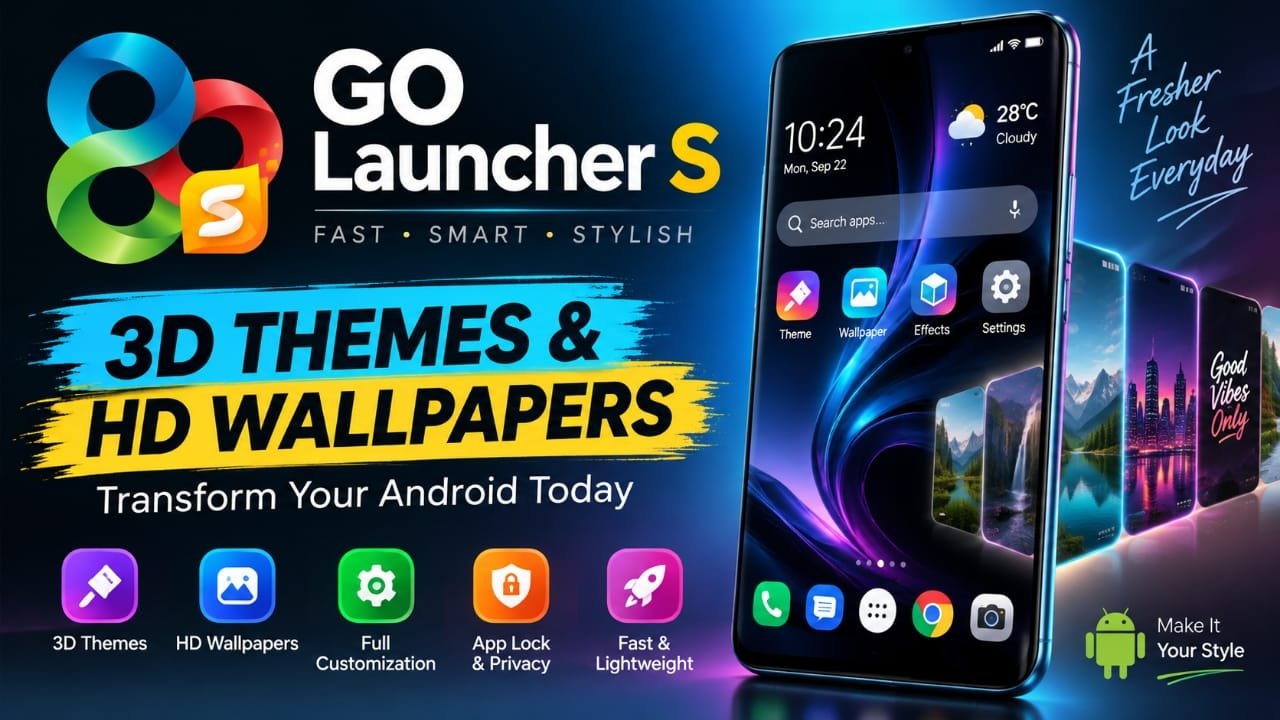
If you want to change the look of your Android phone without replacing the device, a launcher can be an easy way to do it. GO Launcher S is an Android launcher focused on home-screen customization, themes, wallpapers, icons and other interface options.
The app combines visual customization with features such as gesture controls, smart search, app organization and privacy-related options. Here’s a closer look at what GO Launcher S offers and what to know before using it.
Also read: Licowa AI Photo Editor: Free Photo Editing, Live Wallpaper & Collage Maker for Android
What Is GO Launcher S?
GO Launcher S is an Android launcher designed to replace or customize the standard home-screen experience. It lets users change elements such as the home-screen layout, icons, wallpapers, themes and transition effects.
Its main appeal is customization. Instead of using the default interface supplied by your phone manufacturer, you can choose a different visual style and arrange the home screen according to your preferences.
The app is particularly focused on 3D themes and HD wallpapers, giving users several ways to change the appearance of their Android device.
Key Features of GO Launcher S
1. 3D Themes and Visual Effects
One of the main highlights of GO Launcher S is its collection of 3D-style themes and visual effects.
Depending on the selected theme, the interface can include:
- 3D visual effects
- Animated icons
- Different interface designs
- Custom transition effects
- Alternative home-screen styles
These options can make the standard Android interface look noticeably different.
2. HD Wallpapers
GO Launcher S also focuses on wallpapers as part of its customization options.
Users can choose from different visual styles, including categories such as:
- Nature
- Abstract
- Minimal
- Dark-themed designs
The wallpaper can then be applied to the phone as part of the overall home-screen customization.
3. Home-Screen Customization
The launcher provides controls for changing how apps and icons are arranged.
Depending on the available settings and version of the app, customization can include:
- Icon size
- Home-screen grid
- App arrangement
- Transition effects
- Theme selection
This gives users more control over the appearance and layout of their home screen than they may get with the default launcher.
4. Smart Search and App Organization
GO Launcher S includes features intended to make finding and accessing apps easier.
Smart search can help users locate apps, while app organization features can reduce the need to manually arrange everything on the home screen.
For people with a large number of installed apps, these tools can make the launcher easier to navigate.
5. Gesture Controls
Gesture controls provide another way to interact with the launcher.
Instead of relying only on tapping icons, supported gestures can be configured for certain actions. This can make frequently used functions quicker to access.
The exact gestures and available options may depend on the app version and Android device.
6. App Lock and Hide Options
The provided information also lists privacy-related features such as app hiding and app locking.
These options can be useful if you want to prevent certain apps from being immediately visible or add an additional layer of access control.
However, users should remember that a launcher-based app lock or hide feature should not automatically be treated as equivalent to Android’s built-in security protections.
Is GO Launcher S Lightweight?
GO Launcher S is positioned as a lightweight launcher, with an emphasis on keeping the interface responsive while providing customization features.
However, actual performance can vary between phones. A launcher with animated themes, effects and other visual features may behave differently on an older or lower-powered device compared with a newer smartphone.
If your phone already has performance problems, it is worth trying the launcher with animations and effects reduced rather than assuming that every feature will improve performance.
How to Use GO Launcher S on Android
Getting started with a third-party launcher is generally straightforward.
Step 1: Install the App
Download GO Launcher S from a trusted source, such as its Google Play Store listing.
Step 2: Open the Launcher
Launch the app after installation and follow the initial setup instructions.
Step 3: Set It as the Default Launcher
Android may ask whether you want to use GO Launcher S as your default home app. Select the option to make it the default if you want it to handle your home screen.
The exact wording can vary depending on the Android version and phone manufacturer.
Step 4: Choose a Theme
Select a theme that matches the appearance you want. You can then customize other visual elements such as wallpapers and icons where supported.
Step 5: Adjust the Home Screen
Explore the launcher settings to change the grid, icon size, transitions and other available customization options.
Who Should Try GO Launcher S?
GO Launcher S may be worth considering if you:
- Want a different look for your Android home screen
- Enjoy experimenting with themes and wallpapers
- Want more control over icon and grid layouts
- Prefer additional launcher customization
- Like gesture-based controls
- Want to organize apps differently from the default launcher
On the other hand, if you prefer the simplicity and consistency of your phone’s original interface, adding a third-party launcher may not provide much benefit.
Things to Keep in Mind
Before installing any third-party launcher, there are a few practical points to consider.
Performance can vary: The experience depends on your phone’s hardware, Android version and the theme or effects being used.
Features can change: App features may be updated, removed or changed in newer versions.
Privacy matters: A launcher can have access to information related to your home-screen and app usage experience. Review the permissions and privacy information shown on the app’s current Play Store listing before installing or using it.
Battery impact may vary: Animated effects and other visual features can consume additional system resources. If battery life becomes a concern, reducing unnecessary animations may help.
GO Launcher S Tips for a Smoother Experience
If you want to keep the launcher simple and responsive, consider these adjustments:
- Avoid using unnecessary animated effects.
- Keep the home screen organized instead of filling it with widgets and shortcuts.
- Try a simpler theme if the interface feels slow.
- Review the launcher’s available settings and permissions.
- Keep the app updated when an update is available from a trusted source.
A darker wallpaper or theme can also look good on phones with OLED/AMOLED displays, although the battery benefit depends on the display technology and how much of the screen is actually dark.
Frequently Asked Questions
What is GO Launcher S?
GO Launcher S is an Android launcher that lets users customize the phone’s home screen, themes, wallpapers, icons and other interface elements.
Is GO Launcher S free?
The provided information describes GO Launcher S as a free launcher. However, availability of individual themes, features or other content can change, so check the current Google Play Store listing for the latest details.
Can GO Launcher S change Android icons?
Yes, icon appearance and layout customization are among the launcher features described in the provided information.
Can I use my own wallpaper with GO Launcher S?
The launcher provides wallpaper customization, while the exact wallpaper options and supported functions can depend on the current app version and Android device.
Does GO Launcher S work on every Android phone?
Compatibility can vary by Android version and device. Check the current Play Store listing for the supported requirements before installing it.
Is GO Launcher S safe to install?
Install it from a trusted source and review its current permissions, privacy information and developer details before installation. No third-party app should be described as completely risk-free without current evidence.
Official Play Store Link
Also read: NoVolume App Review: Give Your Android Volume Slider a Nothing OS-Inspired Look
Final Verdict
GO Launcher S is primarily aimed at Android users who want more control over the appearance and organization of their phone. Its focus on 3D themes, HD wallpapers, icons, layouts, gestures and other customization options makes it more feature-focused than a basic launcher.
The most sensible way to judge it on your own phone is to try the customization options you actually need and see how the launcher performs on your particular device. Keep in mind that features, compatibility and performance can change with future app and Android updates.

Abhi Rajput, founder of Earnabhi.com, is a tech lover with 6+ years of experience in SEO, digital tools, and smartphone troubleshooting. He writes simple, clear, and useful guides to help people solve real tech problems.