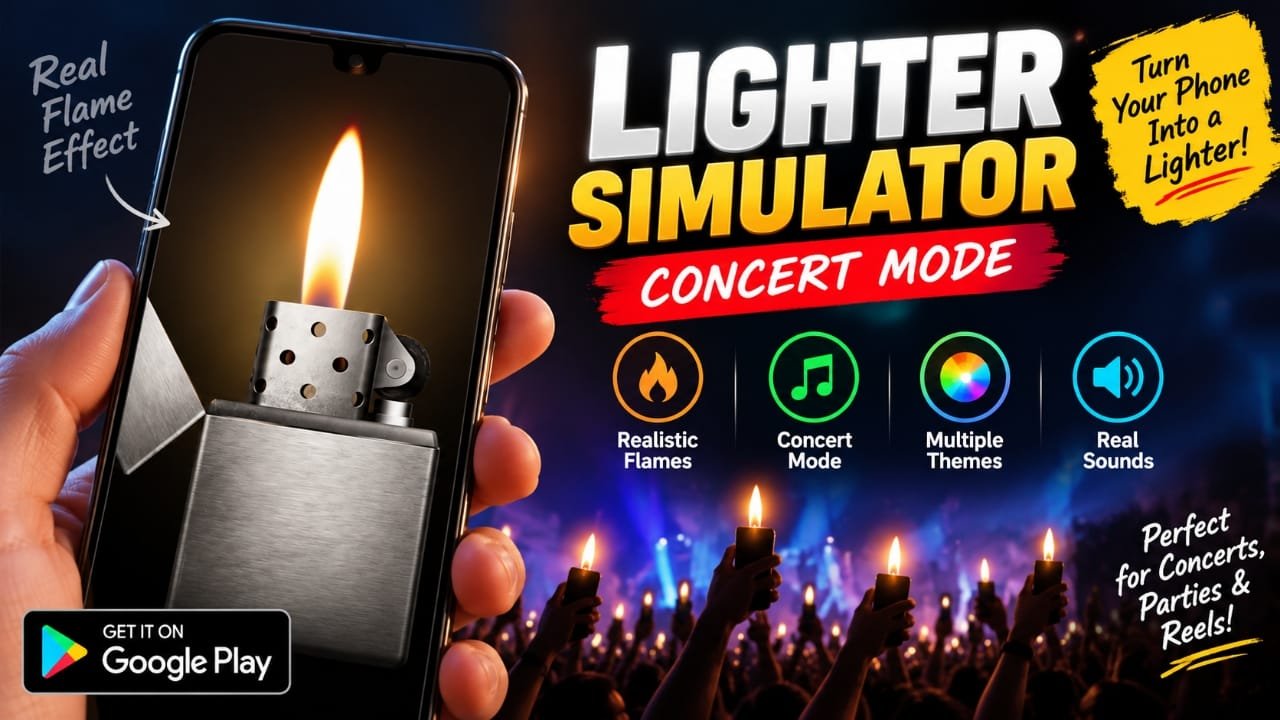
If you are looking for a fun Android app that can turn your phone into a virtual lighter, Lighter Simulator Concert Mode is designed for exactly that. The app recreates the look and feel of a lighter on your smartphone, with animated flames, sound effects, different designs and a dedicated concert mode.
Instead of using a real lighter, you can use the phone screen to create a lighter-style visual effect at parties, concerts, with friends or while making short videos.
Also read: Mico 4K Live Wallpaper Maker: Customize Your Android Lock Screen and Wallpaper
What Is Lighter Simulator Concert Mode?
Lighter Simulator Concert Mode is an Android entertainment app that simulates a lighter on your phone. It uses animated flames, sounds and motion effects to make the virtual lighter feel more interactive.
The app is particularly focused on concert-style effects. You can display a flame on the screen and use the phone’s movement to create a more dynamic effect.
It is a simulator for entertainment rather than a replacement for a physical lighter.
Key Features of Lighter Simulator Concert Mode
The app includes several features that make the virtual lighter more interesting to use:
- Realistic-looking flame animations
- Concert Mode
- Different flame colors
- Lighter themes and designs
- Sound effects
- Shake and motion effects
- Simple controls
- Dark-style visual effects
- Multiple customization options
The exact features and available options can change with app updates, so users should check the current Play Store listing before installing.
Concert Mode Creates a Phone-Based Light Show
One of the main attractions is Concert Mode. It is intended to recreate the visual effect of people holding up illuminated lighters during a concert.
You can hold your phone up with the animated flame visible on the screen. When several people use similar effects together, the phones can create a small light-show-style effect.
This can also be useful for casual videos or social media content where you want a lighter-style visual without using an actual flame.
Realistic Flame and Motion Effects
The app focuses on making the virtual flame look more dynamic instead of displaying a completely static image.
According to the provided information, the simulator includes:
- Flame animation
- Smooth movement
- Fire sound effects
- Shake detection
- Lighter-style visuals
The motion effect is particularly useful because the flame can respond to how you move or shake the phone, giving the simulation a more interactive feel.
Keep in mind that an animated phone screen cannot reproduce every physical characteristic of a real flame. It is primarily a visual entertainment effect.
Lighter Themes and Flame Colors
Customization is another part of the app. The provided information mentions multiple lighter designs and flame colors, including styles such as:
- Gold lighter
- Retro metal design
- Modern dark design
- Neon flame
- Blue flame effect
The source material also states that the app offers more than 40 lighter designs and more than 42 flame colors. These numbers should be checked against the current Google Play listing because app features can change between versions.
This variety allows users to change the appearance instead of using the same lighter design every time.
Useful for Reels and Short Videos
A virtual lighter can also be useful as a visual prop when creating short-form content.
For example, creators could use the screen effect in:
- Instagram Reels
- YouTube Shorts
- Facebook videos
- Music-related videos
- Concert-style clips
- Night-time videos
The advantage is that there is no actual flame involved. However, creators should still follow the safety rules of the location where they are recording, particularly at concerts and other crowded venues.
How to Use the Lighter Simulator App
The basic controls are designed to be straightforward.
Step 1: Install the App
Download Lighter Simulator Concert Mode through its Google Play Store listing.
Step 2: Open the App
Launch the app after installation and explore the available lighter designs.
Step 3: Select a Design
Choose a lighter theme or flame style that you prefer.
Step 4: Activate the Flame
Use the on-screen controls to activate the virtual flame.
Step 5: Try the Motion Effect
Move or shake the phone if the selected mode supports motion interaction. This can make the flame animation more dynamic.
Step 6: Try Concert Mode
Switch to Concert Mode when you want the phone to display a concert-style lighter effect.
Is Lighter Simulator Concert Mode Free?
The provided material describes the app as free to use. However, availability of advertisements, optional purchases or other monetization features can change over time.
For the most accurate information about the current version, check the app’s Google Play Store listing before installing.
Does the App Consume a Lot of Battery?
A lighter simulator is not normally a graphics-intensive application compared with demanding games, but keeping the display continuously active can still use battery.
Battery consumption can depend on factors such as:
- Screen brightness
- How long the app remains open
- Phone display technology
- Background activity
- Device settings
So, while the app may be relatively lightweight, it would not be accurate to claim that it uses no battery.
Is the Lighter Simulator App Safe?
The safest approach is to download the app through the official Google Play Store listing and review the information shown there before installation.
Before installing any Android app, check:
- Developer information
- App permissions
- Recent user reviews
- Number of downloads
- Last update information
- Data safety information provided on Google Play
Also remember that being available on Google Play does not mean every app should automatically be trusted without checking its current listing and permissions.
Who Might Find This App Useful?
This type of simulator is mainly intended for entertainment. It may appeal to:
- Concert and music fans
- Android users looking for novelty apps
- Social media creators
- People making short videos
- Users who enjoy customization and visual effects
- Anyone looking for a virtual lighter effect
It is particularly useful when you want a lighter-style visual without creating an actual flame.
Lighter Simulator Concert Mode: Pros and Limitations
Pros
- Easy to use
- Virtual flame effect
- Concert Mode
- Multiple visual styles
- Different flame colors
- Motion-based interaction
- Useful as a video prop
Limitations
- It is only a simulation
- Keeping the screen on can consume battery
- Actual features may vary by app version
- Concert venues may have their own rules about phone use
- The current number of themes and colors should be verified on Google Play
Official Play Store Link
Also read: GO Launcher S Review: 3D Themes, HD Wallpapers and Android Customization
Final Verdict
Lighter Simulator Concert Mode is a simple entertainment app built around the idea of turning an Android phone into a virtual lighter. Its main appeal comes from animated flames, sound effects, motion interaction, customization and Concert Mode.
It can be a fun option for casual use, group activities or videos where a lighter-style visual effect is needed. Since app features can change, it is best to check the current Google Play listing for the latest version, permissions and available customization options.
FAQs
What is Lighter Simulator Concert Mode?
It is an Android entertainment app that simulates a lighter using animated flames, sound effects, visual themes and motion effects.
Does the app have Concert Mode?
Yes. Concert Mode is one of the main features described for the app and is designed to create a phone-based concert light effect.
Can the virtual flame move?
The provided information says the app supports shake and motion effects, allowing the flame animation to react to phone movement.
Can I use the app for videos?
Yes. A virtual lighter effect can be used as a visual element in short videos, reels and other content, subject to the rules of the platform and recording location.
Does it replace a real lighter?
No. It is a visual simulator intended for entertainment and does not perform the functions of a physical lighter.

Abhi Rajput, founder of Earnabhi.com, is a tech lover with 6+ years of experience in SEO, digital tools, and smartphone troubleshooting. He writes simple, clear, and useful guides to help people solve real tech problems.