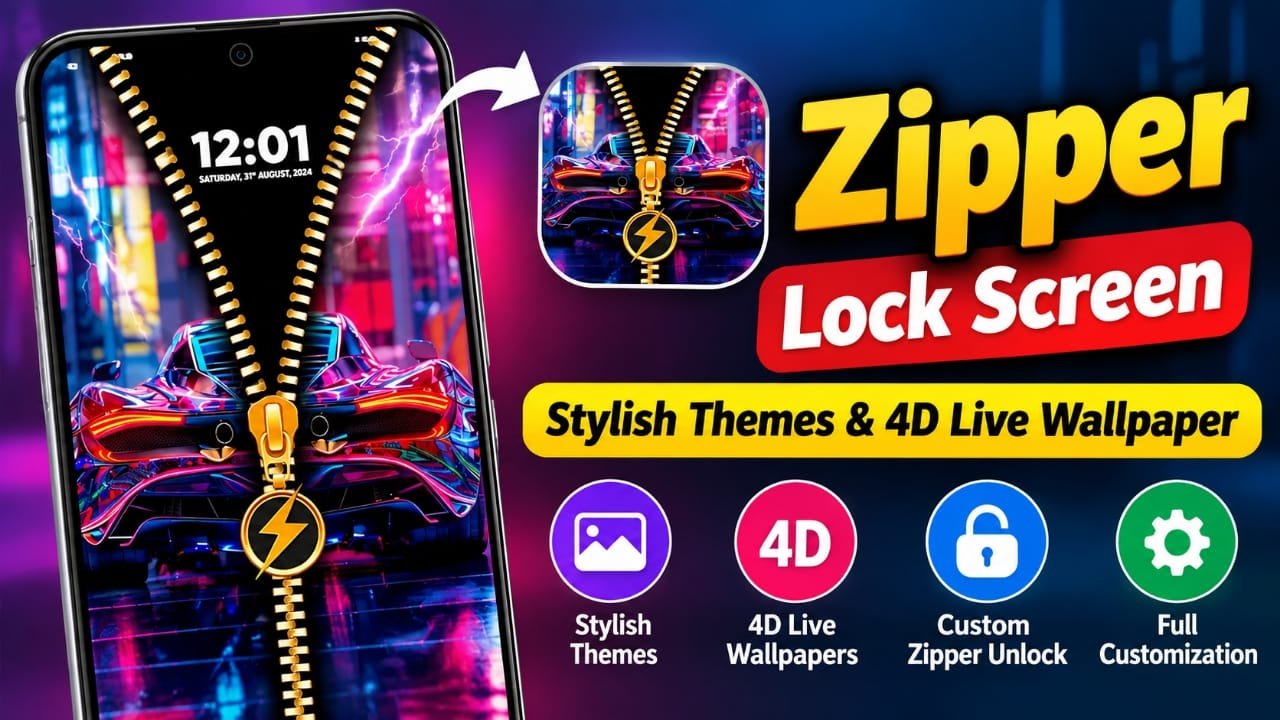
If you are bored with the standard lock screen on your Android phone, Zipper Lock Screen & Wallpaper offers a more interactive way to customize it. Instead of simply tapping or swiping across a regular lock screen, the app uses a zipper-style animation that you can drag to create a different unlocking experience.
The app also combines zipper effects with customizable themes, wallpapers, and 4D live wallpaper effects. That makes it more focused on phone personalization than a traditional lock-screen utility.
Also read: Hair Cut Trimmer Prank: Turn Your Phone Into a Realistic Hair Clipper
What Is Zipper Lock Screen & Wallpaper?
Zipper Lock Screen & Wallpaper is an Android personalization app developed by Creative Apps Studio LTD. Its main idea is simple: replace the ordinary lock-screen appearance with a zipper-themed design and animated visual effects.
The app’s current listing information describes features such as realistic zipper effects, live wallpapers, different themes, and customization options for the zipper’s appearance.
The package ID is zipper.lockscreens.customize.wallpaper.
Zipper-Style Lock Screen
The main attraction is the zipper animation.
Instead of using a conventional-looking lock screen, you can interact with a zipper-style design by swiping it. The animation is intended to make unlocking feel more visual and playful.
This is particularly useful for users who enjoy changing the appearance of their phone rather than keeping the default Android interface.
The zipper design can also be combined with different backgrounds and visual styles, allowing the lock screen to match the overall theme of the device.
4D and Live Wallpapers
Another major feature is the collection of dynamic wallpapers.
The app promotes 4D live wallpapers and moving backgrounds, which can add animation and depth to the phone’s screen. Depending on the selected wallpaper, the background can provide a more dynamic appearance than a standard static image.
The available designs cover different styles and categories, including themes involving:
- Cars
- Sports
- Animals
- Cartoons
- Abstract designs
- Neon-style visuals
- Other decorative themes
The exact selection of wallpapers can change as the app receives updates, so the available choices may differ from one version to another.
Customize the Zipper Theme
The app is not limited to one zipper design. Its customization options allow users to change elements of the zipper-style lock screen.
Depending on the available options in the installed version, users can experiment with different:
- Zipper designs
- Colors
- Handles
- Background images
- Wallpaper styles
- Lock-screen combinations
This makes it possible to create a lock screen that looks different from the default Android setup.
Create a Lock Screen Around Your Favorite Image
Personalization is one of the main reasons to use an app like this.
Instead of relying only on a pre-made design, the app’s customization features can be used to combine wallpapers and zipper effects into a more personalized lock-screen appearance.
For example, someone who likes cars could choose a car-themed background, while another user might prefer an abstract, sports, nature, or neon design.
The result depends on the themes and customization options available in the current version of the app.
Is Zipper Lock Screen & Wallpaper a Security App?
This is an important distinction.
A zipper animation is primarily a visual customization feature. It should not automatically be treated as equivalent to the security provided by Android’s built-in PIN, password, pattern, or biometric authentication.
If you use a third-party lock-screen application, it is sensible to keep your phone’s normal Android security enabled where possible. Before relying on any third-party lock-screen feature for security, check how it interacts with your phone’s native lock and authentication system.
In other words, the zipper effect can change how your lock screen looks, but your device’s underlying security settings are still important.
What About Performance and Battery Usage?
Live wallpapers and animated effects can require more resources than a simple static wallpaper. Actual battery and performance impact can vary depending on the phone, Android version, wallpaper, and other apps running in the background.
For that reason, it would be better not to assume that the app will have no effect on battery life or performance on every device.
If you notice higher battery usage or slower performance after enabling an animated theme, switching to a simpler wallpaper is an easy troubleshooting step.
Who Might Like This App?
Zipper Lock Screen & Wallpaper may appeal to Android users who enjoy changing their phone’s appearance regularly.
It can be particularly interesting if you:
- Like animated wallpapers
- Want a different lock-screen design
- Enjoy customization apps
- Prefer themed wallpapers
- Like zipper-style visual effects
- Want to experiment with 4D or live wallpapers
If your priority is maximum battery efficiency or a minimal lock screen, a conventional static wallpaper and the phone’s default lock screen may be more suitable.
Things to Check Before Installing
Before installing any third-party personalization app, check the current Google Play listing rather than relying on an old article or APK website.
Pay attention to:
- Developer name – Make sure the listing matches the developer you expect.
- Recent updates – A recently updated app may have features or requirements that differ from older versions.
- Permissions – Review the permissions requested by the app and consider whether they make sense for its features.
- Recent reviews – Older reviews may describe an earlier version of the application.
- Device compatibility – Android requirements can change between versions.
The current package information available for this app identifies Creative Apps Studio LTD as the developer and shows Android 8.0 or later for recent versions in third-party app records. Check the Google Play listing on your device for the requirements that apply to your phone.
How to Get Zipper Lock Screen & Wallpaper
The safest way to find the app is through its Google Play listing rather than downloading an APK from an unknown website.
Google Play: Zipper Lock Screen & Wallpaper on Google Play
Before installing, verify the app name, developer, ratings, permissions, and the latest available version shown on Google Play.
Frequently Asked Questions
What is Zipper Lock Screen & Wallpaper?
It is an Android personalization app that combines zipper-style lock-screen effects with customizable themes and live or 4D wallpapers.
Is Zipper Lock Screen & Wallpaper free?
The app is distributed as a free Android app, although availability of specific features, advertising, or in-app options can change between versions. Check the current Google Play listing for the latest details.
Does the app have 4D wallpapers?
Yes. Current app descriptions specifically promote 4D live wallpaper and moving wallpaper features.
Can I customize the zipper?
The app’s current descriptions mention customization of zipper styles, colors, and designs. The exact options can depend on the version installed.
Does it replace Android’s built-in security?
It should not be assumed to replace Android’s underlying security. A zipper animation is primarily a visual lock-screen feature. Keep your device’s normal security protection enabled where appropriate.
Is it suitable for older Android phones?
Recent versions are listed for Android 8.0 and later, but performance can vary between devices. Animated wallpapers may also use more resources than static backgrounds.
Official Play Store Link
Also read: Best Android Live Wallpaper App With 3D Effects, Clock & Battery Widgets
Final Thoughts
Zipper Lock Screen & Wallpaper is designed for Android users who want something more visually interesting than a standard lock screen. Its main features revolve around the zipper-style unlocking animation, customizable themes, and 4D or live wallpapers.
The biggest reason to try it is personalization rather than additional phone security. If you enjoy changing wallpapers and experimenting with animated effects, the app provides several ways to give your Android lock screen a different appearance.
Before installing, check the current Google Play listing and review its latest permissions, features, and compatibility information, since these details can change with future updates.

Abhi Rajput, founder of Earnabhi.com, is a tech lover with 6+ years of experience in SEO, digital tools, and smartphone troubleshooting. He writes simple, clear, and useful guides to help people solve real tech problems.