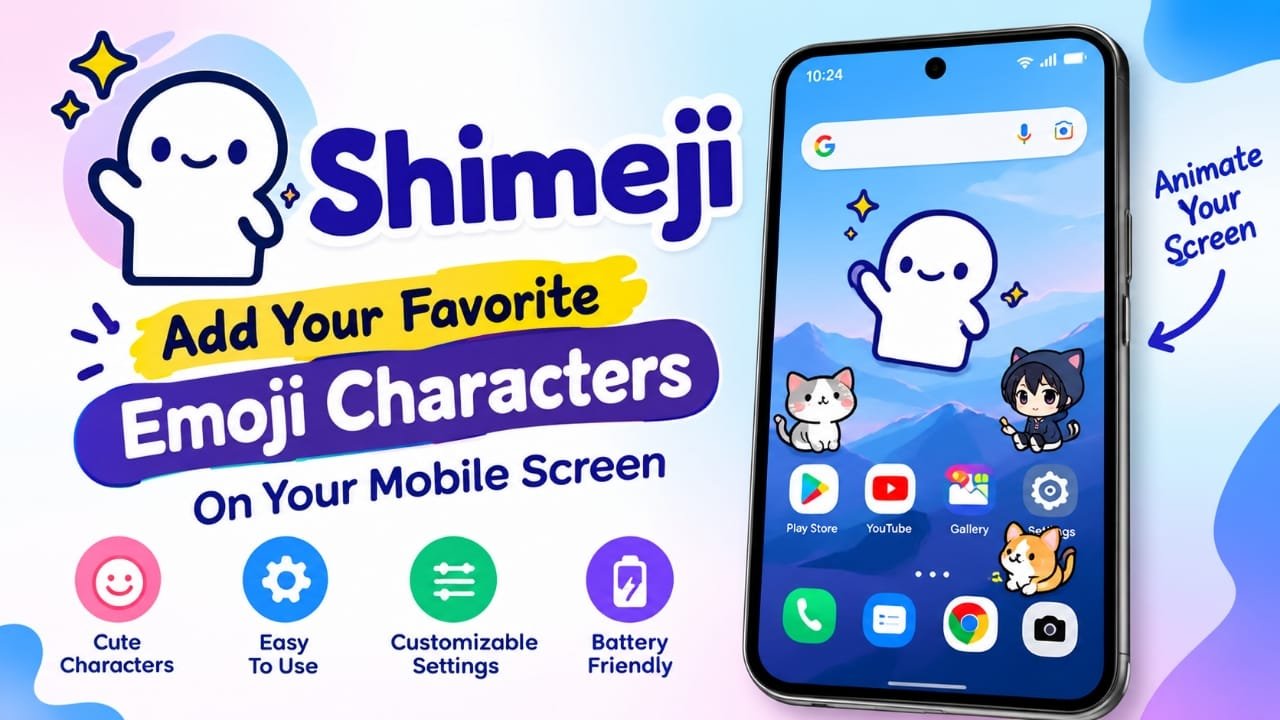
If you want to give your phone’s home screen a fun and different look, Shimeji is an app worth exploring. It lets you place animated characters over your mobile screen that can walk, jump, dance and move around while you use your phone.
Instead of changing only the wallpaper or icons, Shimeji adds moving characters to the screen itself. You can choose different characters and adjust settings such as their size and movement speed.
Also read: LED Keyboard – Colorful Lighting Edge RGB Keyboard: Features, Themes and How to Use It
What Is the Shimeji App?
Shimeji is a mobile customization app designed to add animated characters to your phone screen. Once configured, selected characters can move around the screen while you use other apps.
Depending on the characters available in the app, you may find options based on cute animals, anime-style designs, cartoon characters and other themes.
The idea is simple: rather than keeping your home screen completely static, you can have a small animated character moving around it.
Key Features of Shimeji
Simple Setup
Shimeji is designed to be relatively easy to configure. You can select a character and adjust the available settings without needing advanced technical knowledge.
The exact steps and permissions can vary depending on your Android version and the version of the app.
Different Animated Characters
One of the main attractions is the variety of characters. You can select characters based on your preferred style instead of being limited to a single animated figure.
The available selection may include cute characters, animals, anime-inspired designs and other cartoon-style options.
Characters Move Around the Screen
After enabling a character, it can move around the visible screen rather than simply remaining in one position.
Some animations can make the character appear to interact with the screen, which gives the phone a more playful appearance.
Character Customization
Shimeji provides customization options for the animated characters. Depending on the version and character, you can adjust things such as:
- Character selection
- Character size
- Movement speed
- Other animation-related settings
This makes it possible to keep the character small and subtle or make it more noticeable on the screen.
Free and Optional Paid Content
The app may offer basic functionality without requiring payment, while additional characters or features can be available through in-app purchases. The exact free and paid content can change, so users should check the current Google Play Store listing before making a purchase.
Why Use Shimeji on Your Phone?
The main reason to use Shimeji is entertainment and personalization. If you enjoy customizing your phone, moving characters can make the normal Android interface feel more playful.
It can also be useful if you simply want something different from a conventional wallpaper or static home-screen theme.
Make Your Screen More Personal
Your phone’s home screen doesn’t have to look the same as everyone else’s. Choosing a character that matches your interests can give it a more personalized appearance.
Add Some Fun to Everyday Phone Use
A small animated character moving across the screen can add a fun element while you’re browsing your phone. For some users, this is simply an enjoyable visual customization rather than a productivity feature.
Change Characters Whenever You Want
If you get bored with one character, you can switch to another option when available. This gives you an easy way to refresh the look without completely redesigning your phone.
How to Customize Your Screen With Shimeji
The basic process is straightforward:
- Install Shimeji from a trusted app store.
- Open the application and review the permissions it requests.
- Choose an available character.
- Configure the character using the available settings.
- Adjust its size and movement speed if those options are available.
- Enable the character and return to your normal phone usage.
- Change or remove the character whenever you want.
Important: Android permissions and the exact setup process can differ between devices and app versions. Only grant permissions that you understand and are comfortable with.
Does Shimeji Affect Battery Life?
Animated characters require the app to remain active, so it would be inaccurate to promise that Shimeji has no effect on battery life.
The actual impact can depend on factors such as your phone, Android version, character animation, app version and how long the feature remains active. If you notice increased battery consumption, you can reduce or disable the animations and check whether battery usage improves.
Things to Consider Before Using Shimeji
Although the app is mainly intended for customization and entertainment, there are a few practical points to keep in mind.
Screen clutter: A moving character can sometimes cover buttons or other content on the screen.
Battery usage: Continuous animation may consume additional resources compared with a static wallpaper.
Permissions: Review the permissions requested by the app before enabling its features.
Availability of characters: The selection of characters and features can change between app versions.
In-app purchases: Some additional content may require payment, so check the current pricing and purchase details before buying anything.
Is Shimeji Worth Trying?
Shimeji is aimed at people who want more than a static wallpaper or conventional home-screen customization. Its main appeal comes from animated characters that move around the screen while you use your phone.
If you enjoy cute, anime-style or cartoon-themed customization, the app can be an interesting way to change the look of your Android device. However, users should also consider permissions, battery usage and any paid content before using the app regularly.
Frequently Asked Questions
What is Shimeji used for?
Shimeji is used to customize a mobile screen with animated characters that can move around while you use the phone.
Can I change the Shimeji character?
Yes, the app provides character-selection options, although the available characters can depend on the current version and content offered by the app.
Can I change the character size?
The provided app information indicates that users can adjust the size of characters.
Can I control the character’s speed?
Yes, speed adjustment is listed among the customization options, allowing users to make the character’s movement faster or slower.
Is Shimeji free?
The app can offer basic features for free, while additional content or features may be available through in-app purchases. Check the current Google Play Store listing for the latest details.
Will Shimeji work on every Android phone?
Compatibility and available functionality can vary by device, Android version and app version. Check the current Play Store listing and your device’s requirements before installing it.
Official Play Store Link
Also read: Nocebo Launcher: A Unique Customizable Android Launcher
Conclusion
Shimeji offers a simple way to make an Android phone screen more lively by adding animated characters that move around while you use the device. You can choose characters and customize options such as size and movement speed where supported.
For users who enjoy personalizing their phones with cute or animated designs, it provides an alternative to traditional wallpapers and themes. Just keep an eye on permissions, battery usage and any in-app purchases.

Abhi Rajput, founder of Earnabhi.com, is a tech lover with 6+ years of experience in SEO, digital tools, and smartphone troubleshooting. He writes simple, clear, and useful guides to help people solve real tech problems.