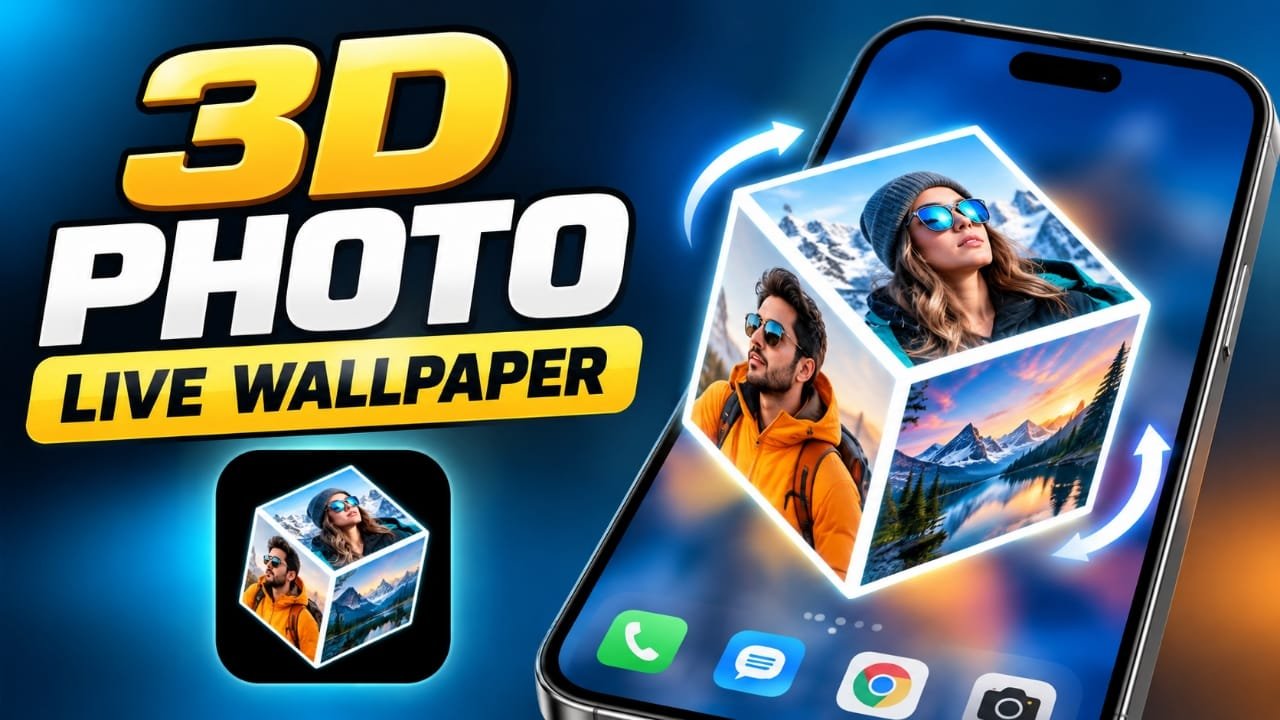
Want to give your Android home screen a more personal look? 3D Photo Live Wallpaper lets you use pictures from your gallery to create a rotating 3D cube that can be used as a live wallpaper.
Instead of using a single static image, you can place different photos on the cube and customize its appearance before setting it on your home screen. This can be useful if you want to showcase personal photos, branding, or simply experiment with a different wallpaper style.
Also read: Orbit Launcher Review: AI Features, 3D HUD Themes and 3D Home Screen Customization
What Is 3D Photo Live Wallpaper?
3D Photo Live Wallpaper is an Android app designed to turn selected gallery images into a 3D rotating cube wallpaper.
The concept is simple: choose your photos, arrange them on the cube, adjust the available customization options, and then set the result as a live wallpaper.
The app can be particularly interesting for users who enjoy animated wallpapers but want something based on their own pictures rather than a pre-made design.
Key Features of 3D Photo Live Wallpaper
1. Rotating 3D Cube Effect
The main feature is the animated cube. Your selected pictures appear on its different sides while the cube rotates on the screen.
This gives the wallpaper more movement than a conventional static background.
2. Use Your Own Photos
You can select pictures from your phone’s gallery instead of relying only on pre-designed wallpapers.
For example, you could use:
- Family or travel photos
- Favorite pictures
- Personal artwork
- Creator or channel branding
- Different images from a particular theme
3. Custom Text
The app also provides an option to add text, depending on the available version and settings. You can use a name, word, or other short text to personalize the cube.
For creators, this can also be useful for adding a channel or brand name.
4. Automatic Rotation
The cube can rotate automatically, creating the live effect when the wallpaper is displayed.
The animation makes the home screen feel more dynamic compared with a normal still image.
5. Wallpaper Customization
The available settings can be used to adjust aspects of the wallpaper, such as the cube’s appearance, rotation and other customization options.
The exact options may vary depending on the app version and Android device.
6. Simple Setup
The basic idea is straightforward: select pictures, customize the wallpaper and apply it.
Users who are unfamiliar with complicated wallpaper tools should be able to understand the basic workflow without much effort.
How to Set a 3D Photo Live Wallpaper
If the app and its current version provide the required options, you can generally create the wallpaper using these steps:
Step 1: Install the App
Install 3D Photo Live Wallpaper through its available Google Play Store listing.
Step 2: Open the App
Launch the app after installation and explore the wallpaper customization options.
Step 3: Choose Your Photos
Select the images you want to use from your phone’s gallery.
Try choosing pictures with enough detail and good lighting so that they remain easy to see when displayed on the cube.
Step 4: Customize the Cube
Adjust the available options, such as rotation or other visual settings. If text customization is available in your version, you can also add a name or short message.
Step 5: Apply the Wallpaper
Once you are happy with the result, use the wallpaper-setting option provided by the app and choose where you want the live wallpaper to appear.
The exact confirmation screen can differ depending on your Android version and phone manufacturer.
Tips for Creating a Better 3D Cube Wallpaper
A few simple choices can make the final result look cleaner.
- Use high-quality photos: Blurry images can look less appealing when animated.
- Choose different pictures: Using visually different photos can make each side of the cube easier to distinguish.
- Avoid overly busy images: Photos with too much detail may become difficult to view on a moving cube.
- Consider the text placement: If you add text, keep it short and easy to read.
- Match your images: Photos with similar colors or a common theme can create a more consistent appearance.
- Try your branding: Content creators can experiment with a channel name or brand text if the available customization options support it.
Why Use a 3D Photo Live Wallpaper?
The biggest reason to use this type of wallpaper is personalization.
A normal wallpaper usually displays one image. A 3D photo cube can display several images while adding animation to the home screen.
It may appeal to you if you:
- Like customizing your Android phone
- Want to display multiple personal photos
- Prefer animated wallpapers
- Create content for social media
- Want to experiment with personal branding
- Enjoy 3D visual effects
The result is more about visual customization than adding a practical smartphone feature.
Pros and Cons
| Pros | Cons |
|---|---|
| Uses your own photos | Performance can vary between devices |
| Rotating 3D cube effect | Free versions may include advertisements |
| Personalization options | Advanced customization may be limited |
| Relatively simple setup | Live wallpapers can use more resources than static wallpapers |
| Can be useful for creators | Available options may vary by app version |
One important point is that battery and performance impact can differ depending on the phone, Android version, animation settings and how the wallpaper is implemented. So it is better not to assume that the app will have the same battery impact on every device.
Is 3D Photo Live Wallpaper Worth Trying?
If your main goal is to create a personalized 3D live wallpaper using your own photos, this app’s rotating cube concept is worth exploring.
It is less useful if you prefer a completely static wallpaper or want extensive professional-level customization. The experience can also depend on your phone’s hardware and the features available in the version you install.
Before installing any app, check its current Google Play Store listing, permissions, recent updates and user reviews. App features can change over time.
Frequently Asked Questions
What is 3D Photo Live Wallpaper?
It is an Android wallpaper app that can use photos from your gallery to create a rotating 3D cube-style live wallpaper.
Can I use my own photos?
Yes, the provided information indicates that you can select images from your gallery and use them on the cube.
Can I add my name to the wallpaper?
The provided app information mentions text customization, allowing users to add a name or other text where supported.
Is 3D Photo Live Wallpaper free?
The source information mentions a free version with possible advertisements. Check the current Google Play Store listing for the latest pricing and availability details.
Will it work on every Android phone?
Compatibility and performance can vary between devices and Android versions. Check the current Play Store listing and your device’s compatibility before installing.
Can content creators use it for branding?
Yes. If the available text customization supports it, creators can experiment with adding a channel or brand name to their wallpaper.
Official Play Store Link
Also read: Lighter Simulator Concert Mode for Android: Realistic Flames, Themes and Concert Effects
Final Thoughts
3D Photo Live Wallpaper takes a simple idea—using your own pictures—and turns it into an animated 3D cube for your Android home screen. Its main appeal is personalization, especially for people who like experimenting with wallpapers, photos and visual effects.
If you want to try it, review the app’s current Google Play Store information before installing because features, compatibility and advertisements can change with future versions.

Abhi Rajput, founder of Earnabhi.com, is a tech lover with 6+ years of experience in SEO, digital tools, and smartphone troubleshooting. He writes simple, clear, and useful guides to help people solve real tech problems.